September 4, 2026
Do I Need a CRM for Small Contracting?
Do I need a CRM for small contracting: CRM for contracting: find out if your small business actually needs one, or if a simpler lead tool gets you more.

Table of Contents
- What a CRM for Contracting Actually Does
- Contractor Lead Response Time Statistics That Change the Math
- Signs Your Small Contracting Business Needs Better Lead Tools
- CRM Alternatives for Field Service Businesses
- How to Respond to Construction Leads Fast
- Implementation Time, Learning Curve, and Data Migration
- How to Choose the Right CRM for Contracting or Skip It Entirely
- Frequently Asked Questions
Last Updated: September 2, 2026
Most small contractors don't lose jobs because of poor craftsmanship. They lose them because someone else picked up the phone first. The question we hear most often isn't "how do I close more leads?" It's "do I need a CRM for small contracting, or is that overkill for a two-person operation?" The honest answer depends on what problem you're actually trying to solve.
Below, we'll walk through exactly when a CRM makes sense, when it doesn't, and what most guides miss about the real bottleneck for small contractors: response time, not pipeline management.
What a CRM for Contracting Actually Does
Customer relationship management (CRM) software centralizes your contact database, tracks interactions with prospects and clients, and manages your sales pipeline from first inquiry through signed contract. For contractors, that typically means logging leads, tracking bid status, scheduling follow-ups, and storing client communication history in one place.
But here's what most CRM vendors don't tell you: a true CRM is built for sales teams managing dozens of active relationships simultaneously. A solo HVAC technician handling three to five new leads per week has a fundamentally different problem.
CRM vs. Job Management Software: The Key Difference
These two categories get conflated constantly, and it costs contractors real money when they buy the wrong one.
A CRM focuses on the pre-job phase: lead capture, lead nurturing, proposal generation, and conversion. It's built around managing prospects before they become customers.
Job management software handles the post-sale workflow: scheduling, task assignment, invoicing, job costing, subcontractor coordination, and field operations. Tools in this category are designed for operational efficiency once the job is won.
Many platforms now blur the line, offering both. If your real gap is that leads go cold before you call them back, buying a job management platform with a tacked-on CRM module won't fix it.
Category
Primary Focus
Best For
CRM
Lead tracking, sales pipeline, follow-up cadence
Contractors with high lead volume and sales staff
Job Management Software
Scheduling, invoicing, job costing, field ops
Contractors who need to manage active projects
Lead Notification Tool
Instant lead alerts, mobile-first response
Solo operators and small teams focused on speed to lead
Contractor Lead Response Time Statistics That Change the Math
Speed is the single biggest variable in lead conversion for home service businesses. According to research published by [Harvard Business Review on lead response(/blog/lead-response-sms) time | hbr.org], companies that respond to leads within an hour are significantly more likely to have a meaningful conversation with a decision-maker than those who wait even a few hours longer. For contractors competing in local markets, that window is even tighter.

A contractor in work clothes checking a text message alert on a smartphone while standing next to a white work truck in a residential driveway, afternoon sunlight casting shadows on the pavement
A homeowner with a burst pipe or failing HVAC unit isn't filling out one form and waiting. They're submitting to three or four contractors and calling whoever responds first. If you're the fourth callback two hours later, the job is already gone.
A CRM won't make you faster. It organizes information you already have. What actually moves the needle on contractor lead response time is knowing the moment a lead arrives, regardless of where you are.
Signs Your Small Contracting Business Needs Better Lead Tools
Most contractors don't realize they have a lead problem until they start asking why their close rate feels low despite decent website traffic. A few patterns signal the gap clearly:
- Leads sit in your email inbox for hours before you see them
- You're frequently the second or third contractor a prospect calls back
- You've lost track of where a prospect stands in your follow-up cadence
- Quotes go out but you never hear back and you don't have a system to follow up
- You're relying on memory or texts to track who you've contacted
If two or more of those describe your operation, you need better lead tools. Whether that means a full CRM or something simpler depends on your volume and complexity.
When a Full CRM Is Overkill
For a solo contractor or a team of two handling fewer than ten active leads per week, a full CRM introduces more friction than it removes. Setup time, typically several hours to a few days, plus the ongoing discipline of logging every interaction, is overhead that doesn't pay off at low volume.
A common mistake is buying a CRM because it feels professional, then abandoning it within 60 days because data entry eats into job time.
When a Full CRM Is Worth the Investment
The calculus shifts when you're managing a sales pipeline with multiple team members, tracking bids across dozens of active prospects, or running a business where customer retention and repeat work require systematic follow-up over months.
If you have an office manager or sales coordinator who can own the CRM, the value of data centralization and real-time reporting becomes tangible. If you're a one-person operation on job sites all day, it probably isn't.
Pro Tip The right threshold for a full CRM is roughly when you have more active prospects than you can hold in your head at once, and someone dedicated to managing the system. Below that threshold, simpler tools almost always outperform complex ones.
CRM Alternatives for Field Service Businesses
The market for CRM alternatives for field service businesses has expanded significantly. Most small contractors need two things: to know when a lead arrives, and a simple way to track whether they followed up. That doesn't require a full CRM platform.
The DIY Threshold: Spreadsheets, Texts, and Free Tools
A shared Google Sheet with columns for lead source, contact info, date received, follow-up status, and outcome handles the tracking needs of most contractors under a certain volume. Pair that with a calendar reminder system and you have a functional follow-up cadence without a monthly subscription.
The DIY approach breaks down when you're receiving more leads than you can manually log in under five minutes per day, multiple people need to access the same lead information, or leads are arriving through multiple channels and getting lost.
Instant Lead Notification Tools: The Mobile-First Option
Mobile-first lead notification tools don't replace a CRM. They solve a more specific problem: the gap between when a lead submits a form on your website and when you actually see it. For contractors driving between job sites or working in crawl spaces, checking email is not a reliable workflow.
DibsText was built specifically for this scenario. The moment a prospect fills out a form on your website, you get an instant text and email alert. Setup takes minutes, and there's no complex interface to learn.
Watch Out Don't confuse activity with results. Buying a CRM and spending weekends configuring it feels productive. But if your leads are going cold in the first 30 minutes after submission, pipeline organization won't move your conversion rates. Fix the response time problem first.
How to Respond to Construction Leads Fast
The fastest contractors don't respond quickly because they're less busy. They respond quickly because they've built a system that removes the dependency on checking email manually.
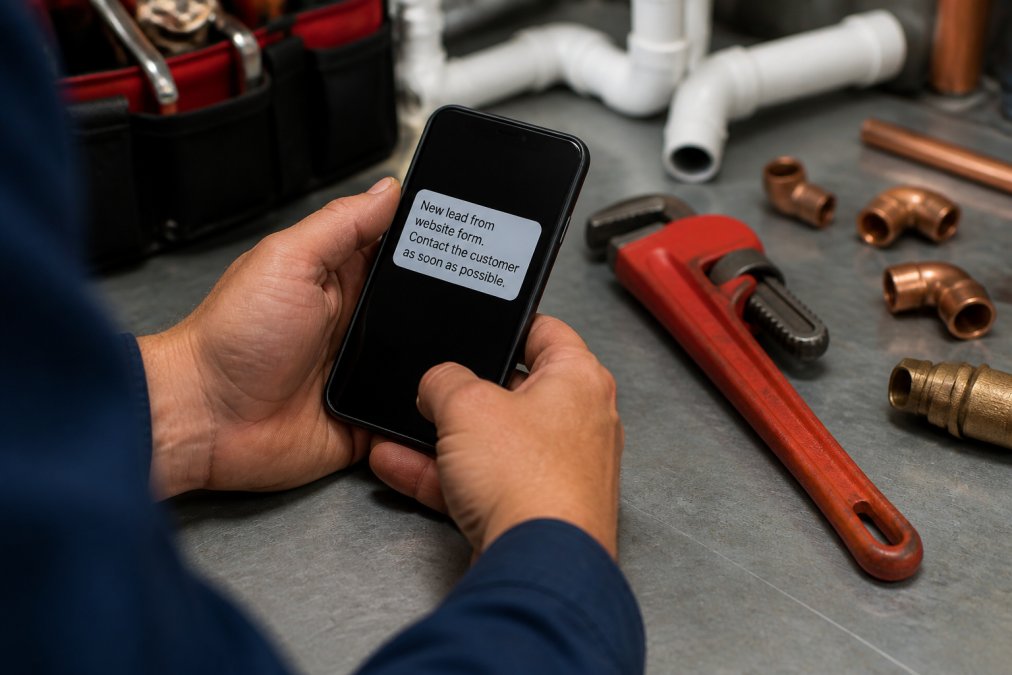
Close-up of a plumber's hands holding a smartphone showing a new lead notification message, with a pipe wrench and copper fittings visible on a workbench in the background under bright workshop lighting
A practical sequence for field-based contractors:
- Set up instant alerts so every website form submission triggers a text to your phone immediately
- Draft a short response template you can send in under 60 seconds: your name, that you received their inquiry, and a specific time you'll call
- Call within five minutes of the alert if you're not actively on a job
- If you're mid-job, send the text acknowledgment immediately and call on your next break
- Log the contact in whatever tracking system you use
According to the NAICS Association's home services industry data, home improvement and repair services represent one of the most competitive local service categories in the country. Speed to lead is a direct differentiator when every other variable is roughly equal.
Setting Up a Follow-Up Cadence That Works in the Field
Most contractors follow up once, get no response, and move on. That's leaving jobs on the table.
A follow-up cadence that works for field-based operators:
- Day 0 (immediate): Call or text within five minutes of lead notification
- Day 1: If no response, send a brief text checking if they still need help
- Day 3: One more follow-up, offer a specific time slot for a call or site visit
- Day 7: Final check-in, keep it brief and non-pressuring
Four touches over a week is enough to capture prospects who were genuinely interested but busy.
Key Takeaway The contractors who win the most jobs aren't necessarily the best at sales. They're the ones who show up first and follow up consistently. A simple cadence executed reliably beats a sophisticated CRM used inconsistently.
Implementation Time, Learning Curve, and Data Migration
This is the part of the CRM conversation that vendor marketing glosses over. For a full CRM platform, realistic timelines look like this:
- Initial setup and configuration: 4-10 hours depending on integrations
- Data migration from spreadsheets or legacy systems: 2-8 hours, more if records are messy
- Team training and adoption: 2-4 weeks before consistent usage
- Integration with existing tools: 1-3 hours per integration
Many small contracting teams report that the first 30 to 60 days with a new CRM actually slow them down before they see any efficiency gains.
For a lightweight notification tool, the contrast is stark. DibsText is designed to be operational in minutes, not days. There's no data migration because there's no database to populate. You connect your website form, configure your alert preferences, and the system handles the rest, including automated A2P compliance handling for text messaging regulations.
How to Choose the Right CRM for Contracting or Skip It Entirely
The question of whether you need a CRM for small contracting comes down to a simple diagnostic. Answer these honestly:
Choose a full CRM if:
- You have more than 20 active prospects in your pipeline at any given time
- You employ at least one person whose job includes managing client communication
- You need integration capabilities with estimating, invoicing, or project management tools
- You're focused on customer retention and repeat business that requires long-term follow-up
Choose job management software if:
- Your primary pain point is scheduling, job costing, or subcontractor coordination
- You need digital documentation and profitability analysis by project
- Your leads are already managed fine and you need better operational efficiency
Skip both and start with lead notifications if:
- You're a solo operator or a team of two
- Your main problem is response time, not pipeline complexity
- You're getting a manageable number of leads and losing them to faster competitors
- You want something operational today, not after a week of configuration
According to the U.S. Small Business Administration's guide to technology adoption for small businesses, small businesses consistently report that complexity and implementation cost are the top barriers to adopting new software. The best tool is the one you'll actually use.
A lightweight notification system doesn't lock you out of adding a CRM later. Start with the simplest solution that solves your current problem, and layer in complexity as your volume justifies it.
Business Profile
Recommended Approach
Why
Solo operator, under 10 leads/week
Instant lead notification tool
Speed beats organization at this scale
2-5 person team, 10-30 leads/week
Notification tool + simple tracking sheet
Low overhead, high responsiveness
5+ person team with sales coordinator
Full CRM
Volume and team size justify the investment
Established firm needing project ops
Job management software
Post-sale workflow is the primary need
The contractors who struggle most are the ones who buy the most sophisticated tool available and then don't use it. A text alert that fires the second a lead hits your website, paired with a consistent four-touch follow-up cadence, will outperform an unused CRM every time.
The hardest part of winning more contracting jobs isn't closing. It's showing up before the competition does. If you're losing leads to faster competitors, the gap isn't your sales process or your pipeline management, it's the time between form submission and your first call. DibsText solves exactly that: instant text and email alerts the moment a lead hits your website, no dashboard required, operational in minutes. Start your free trial with DibsText and start responding to leads before your competitors even know they exist.
Frequently Asked Questions
Q: What is the best CRM for small construction companies?
A: The best tool depends on your volume and workflow. Solo operators and small crews often get more value from a lightweight lead notification system than a full CRM for contracting. Full CRMs make sense when you're managing a contact database of hundreds of clients, tracking multi-stage sales pipelines, and coordinating subcontractors. If your main problem is responding to inbound website leads before a competitor does, a real-time alert tool is faster to set up and easier to use in the field.
Q: Do you really need a CRM in 2026?
A: Not every contractor does. A CRM for contracting adds genuine value when your business has enough lead volume to justify managing a full sales pipeline, or when client retention and repeat business drive most of your revenue. For smaller operations where the biggest problem is speed of response, a simpler mobile-first notification tool often produces better conversion rates than a full CRM because it removes the friction between a lead coming in and you making contact.
Q: Is there a free CRM for small businesses?
A: Several providers offer free tiers with basic contact database and pipeline features, though they typically cap the number of contacts or users. Before signing up, check whether the free plan includes mobile accessibility and workflow automation, since those are the features most relevant to field-based contractors. If your core need is instant lead alerts rather than full customer relationship management, look at free trial options for lead notification tools, which are built specifically for mobile use.
Q: What are the signs that my contracting business has outgrown manual lead tracking?
A: The clearest sign is losing jobs you should have won because you followed up too late. Other indicators include forgetting to send estimates, having no record of past client conversations, and spending more than 20 minutes a day searching for contact details or job notes. When lead management tasks start pulling you away from billable work, or when your conversion rates are dropping despite steady inbound volume, it's time to move beyond spreadsheets and text threads to a dedicated tool.
This article was written using GrandRanker
Stop losing leads to slow response times.
DibsText texts you the second a lead comes in. Free 14-day trial, no credit card.
Start Free Trial