September 9, 2026
How to Win More Jobs with Text Alerts
Learn how to win more jobs with text alerts. Beat competitors by responding to new leads in minutes with proven response time best practices.
Table of Contents
- Why Speed Decides Who Gets the Job
- Best Practices for Lead Response Time That Win Contracts
- How to Win More Jobs with Text Alerts: Set Up Instant Notifications
- Step 1: Choose a Service That Sends Direct SMS, Not Just In-App Pings
- Step 2: Configure Your Phone to Prioritize Alert Senders
- Step 3: Set a Distinct Alert Sound and Vibration Pattern
- Step 4: Disable Battery Optimization for Your Messaging App
- Step 5: Test the Full Chain, Not Just the Form
- The 10-Minute Setup Audit
- Text Message Templates for New Leads That Convert
- How to Automate Customer Followups Without a CRM
- Why SMS Beats Email and Push for Job Alerts
- Spotting Job Alert Scams Before You Reply
- Conclusion: Start Responding Faster Today
- Frequently Asked Questions
Last Updated: September 9, 2026
Why Speed Decides Who Gets the Job
When a homeowner submits a request, they typically contact multiple contractors at once. The first to respond with a clear, confident message usually controls the conversation. This speed-to-lead principle is the single biggest factor in how to win more jobs with text alerts.
Field work makes this hard: you are often driving, finishing a repair, or working with your hands when a lead arrives. Checking email or a dashboard is not practical. DibsText delivers instant text and email alerts the moment a customer submits a website form so you can respond while the lead is still hot.
The core insight: those who win more jobs do not reply in hours. They reply in minutes, signaling reliability before a single word of your pitch is read.
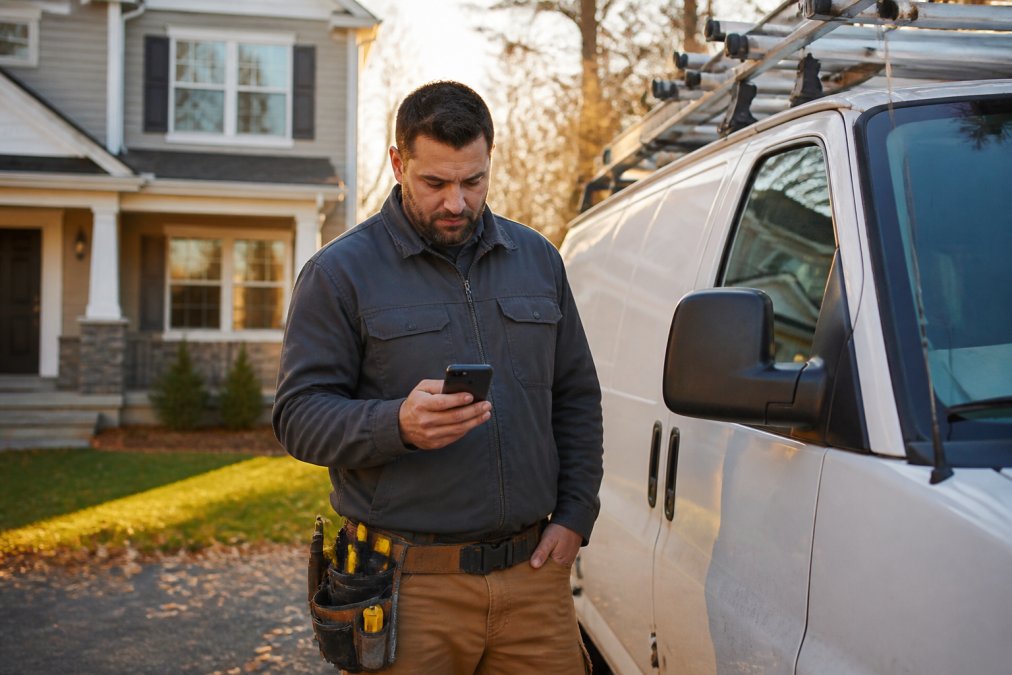
A contractor in work clothes checking a smartphone with a new client message visible, standing beside a work van in a residential driveway during late afternoon light
Best Practices for Lead Response Time That Win Contracts
Best practices for lead response time center on removing friction between the lead arriving and your reply going out. Speed alone is not enough; consistency matters too.
Treat every inquiry like an emergency dispatch. A lead that sits for two hours has often already booked another contractor. Acknowledge every new lead within five minutes of the alert, even if your full quote comes later.
A quick confirmation text that you received their request and will send details shortly keeps you in the race, whether you are a solo plumber or running a crew. The workflow that wins:
- Keep your phone on you at all times with notifications enabled
- Reply to every lead with a confirmation within minutes
- Send a full quote as soon as you have the details
- Follow up once if you do not hear back within a day
Pairing a fast first reply with a scheduled follow-up captures jobs that would otherwise slip away. The goal is to win more jobs by being the most responsive option the customer contacted.
How to Win More Jobs with Text Alerts: Set Up Instant Notifications
Setting up instant notifications takes minutes. The process for how to win more jobs with text alerts starts with choosing a service that sends real-time alerts directly to your phone without requiring a dashboard. But the service-side setup is only half the equation; the other half is configuring your phone so alerts break through, a text that sits in a notification shade for twenty minutes is no better than an unopened email.
Step 1: Choose a Service That Sends Direct SMS, Not Just In-App Pings
A service like DibsText connects to your website forms and forwards every submission as a text message instantly. No CRM, desktop computer, or technical setup is needed beyond a simple integration. The standard setup path:
- Sign up for the service and verify your phone number
- Connect your website form or landing page to the alert system
- Configure your notification preferences for text, email, or both
- Test the system by submitting a sample form
Your phone becomes your office. Whether on a roof, under a sink, or between job sites, the alert reaches you. A common mistake is relying on email alone, which gets buried under spam; text alerts cut through the noise because they demand attention.
Step 2: Configure Your Phone to Prioritize Alert Senders
This step is most often skipped. On both iOS and Android, create a notification exception for your alert service's number or short code so its messages bypass Do Not Disturb, Focus modes, and notification stacking.
On iPhone (iOS 16 or later):
- Open Settings > Focus > Do Not Disturb.
- Tap "Allow Notifications" and then "Add Person."
- Enter the phone number or short code that sends your job alerts.
- Toggle on "Time-Sensitive Notifications" for the Messages app if your alert service supports it.
This ensures a new lead alert buzzes your lock screen even with Do Not Disturb enabled. Without it, a lead arriving at 2:00 PM might not surface until 4:30 PM, by which point the homeowner has booked someone else.
On Android (Samsung, Pixel, Motorola):
- Open the Messages app and find a message from your alert sender.
- Tap and hold the conversation, then select "Details" (or the three-dot menu).
- Choose "Notifications" and set it to "Alert" instead of "Silent."
- Toggle on "Override Do Not Disturb" if the option is available.
On Pixel phones, you can also go to Settings > Apps > Messages > Notifications and enable "Conversations" priority so that your alert thread appears at the top of the notification shade with a distinct sound.
Step 3: Set a Distinct Alert Sound and Vibration Pattern
Your brain responds faster to a sound it recognizes. Assign a unique ringtone or vibration to your job alert sender so you know a lead has arrived without looking at the screen. On iPhone, open the contact card, tap "Text Tone," and choose "Alert" or "Tri-tone." On Android, open conversation details and select a custom sound.
Step 4: Disable Battery Optimization for Your Messaging App
Android phones aggressively kill background processes, delaying message delivery by minutes. Go to Settings > Apps > Messages > Battery and select "Unrestricted." On iOS, verify Background App Refresh is enabled under Settings > General > Background App Refresh.
Step 5: Test the Full Chain, Not Just the Form
The most common failure point is the phone, not the alert service. After connecting your form, submit a sample entry, put your phone in Do Not Disturb, and set it face-down for five minutes. If the alert does not break through, adjust your Focus or Do Not Disturb settings until it does.
Pro Tip Set up a second notification path as a backup. If your alert service supports email-to-SMS forwarding (e.g., sending to `[email protected]` for Verizon or `[email protected]` for T-Mobile), configure it as a fallback. This protects you if the primary service has an outage or if your phone's data connection drops.
Watch Out Do not rely on email notifications alone for time-sensitive leads. Email filters and spam folders can delay or hide critical inquiries, and checking email while driving between jobs is both unsafe and impractical.
The 10-Minute Setup Audit
Before you trust your alert system with a real lead, run this audit:
- Alert service is connected to your website form
- Test alert arrived on your phone in under 30 seconds
- Alert sender is allowlisted in Do Not Disturb / Focus modes
- A distinct sound or vibration is assigned to the sender
- Battery optimization is disabled for your messaging app
- A backup email-to-SMS path is configured
This audit takes ten minutes and eliminates the most common reasons contractors miss leads: silent notifications, buried messages, and delayed delivery. Service-side setup gets the alert to your phone; device-side setup gets it to your eyes and ears. Both are required to win more jobs with text alerts.
Text Message Templates for New Leads That Convert
A strong first message is short, professional, and moves toward a booking. These text message templates for new leads that convert work across trades because they acknowledge the request, establish credibility, and ask a clear question.
Avoid long paragraphs. Customers reading on their phones want to know you are available and interested. Keep every message under three sentences.
Here are three templates that consistently perform well in the field:
Template 1: The Fast Confirmation "Hi [Name], this is [Your Name] from [Company]. Got your request for [service]. I can take a look at this today. What time works best for a quick call?"
Template 2: The Availability Play "Hi [Name], thanks for reaching out. I have an opening [today/tomorrow morning]. Would you like me to come by and give you an estimate?"
Template 3: The Follow-Up "Hi [Name], following up on your request for [service]. I know you are comparing options. I can offer [specific value, e.g., same-day service]. Are you still looking for help?"
Using these text message templates for new leads that convert helps you win more jobs because they prompt a response. Always include your name and company so the customer knows who is texting.
How to Automate Customer Followups Without a CRM
Automating customer followups without a CRM is possible using scheduled text messages, preventing leads from going cold when you get busy. You do not need complex software.
The approach relies on two habits: send your initial reply immediately when the alert arrives, and schedule a follow-up for the next day if you have not heard back. A single polite follow-up recovers a meaningful share of leads.
DibsText delivers the initial alert instantly. For the follow-up layer, use your phone's scheduling features or a lightweight messaging tool to send a reminder text at a set time.
The follow-up should be brief and add value. A message like "Still available to help with your project this week" keeps you top of mind without being pushy. This system lets you automate customer followups without a CRM while maintaining a personal touch.
Pro Tip Set your follow-up text to send around mid-morning on the day after the initial inquiry. Homeowners are often comparing quotes in the evening, so a morning nudge catches them when they are ready to make a decision.
Why SMS Beats Email and Push for Job Alerts
SMS beats email and push for job alerts because text messages have near-universal open rates and a sense of urgency. Email inboxes are crowded, and push notifications depend on the right app being installed and enabled.
Text messaging works on every phone, requires no app download, and delivers directly to the lock screen. For a contractor in the field, the alert is visible the moment the phone comes out of the pocket. Email requires opening an app and searching, adding friction when speed matters most.
Push notifications from job boards compete with dozens of apps for attention, and users often disable them. SMS is a dedicated channel that homeowners and contractors treat as important.
The practical difference is speed. A text alert lets you reply while still at the job site. Checking email or a job board app usually means waiting until you are back in the truck. For real-time alerts that translate into booked work, SMS is superior.
Spotting Job Alert Scams Before You Reply
Spotting job alert scams before you reply protects your time, identity, and reputation. The missing piece is a practical, step-by-step verification checklist you can run in under 60 seconds when a text alert arrives from an unfamiliar source.
The 60-Second Sender Verification Checklist
Run this sequence before replying to any alert you did not explicitly trigger from a known dashboard or website form:
- Check the sender ID, not just the number. Legitimate services in the U.S. often use short codes (5-6 digits) or a branded alphanumeric sender ID (e.g., "DibsText"). A random 10-digit number that does not match your service's documented sender is a red flag.
- Cross-reference the job details against your own records. Did you actually submit a bid request or sign up for this category of work on this platform? Scammers scrape public directories and send unsolicited "opportunities" to anyone with a listed trade.
- Look for a callback number that resolves to a real business. Paste the number into a reverse lookup. If it routes to a personal cell phone with no voicemail greeting naming a company, treat it as suspicious.
- Search the exact message text in quotes. Scammers reuse scripts. If the same wording appears on Reddit, the BBB Scam Tracker, or the FTC's consumer alerts, it is a known phishing template.
- Never click links in the alert to "verify your identity." Legitimate job alert services do not require you to re-authenticate via a texted link before you can view a lead. If a message asks you to log in again through an embedded URL, it is a credential-harvesting attempt.
What Legitimate U.S. Alert Services Do and Do Not Do
Legitimate U.S. SMS alert services operate under the Telephone Consumer Protection Act (TCPA) and the CAN-SPAM Act (the FTC). That means they:
- Only send messages to numbers that provided prior express consent (typically via a web form opt-in).
- Identify themselves clearly in the message body.
- Provide a working opt-out mechanism (e.g., "Reply STOP to unsubscribe").
- Never ask for bank account numbers, Social Security numbers, or credit card details over SMS.
Scammers often pose as a recruiter or property manager and request a "refundable deposit" or "background check fee" before sharing job details. This is illegal advance-fee fraud, and no legitimate U.S. employer or alert service operates this way (the FTC).
The "Too Good to Be True" Filter
Scam alerts share a recognizable structure: high pay for minimal effort, pressure to respond within minutes, and no specific project scope. A legitimate alert references the actual service you offer (e.g., "water heater replacement") and a plausible location. A scam says things like "We need a handyman for ongoing work, $50/hr, reply ASAP."
Watch Out If a text alert asks you to pay any fee to unlock a job, or requests your driver's license number "for verification" before you have spoken to a real person, end the conversation immediately. Report the number to the FTC at ReportFraud.ftc.gov and to your mobile carrier by forwarding the message to 7726 (SPAM).
When an Alert Is Real but the Sender Is Not
A subtle variant: scammers spoof the sender ID of a legitimate service like Indeed or ZipRecruiter. The message looks authentic, but the embedded link points to a lookalike domain. Before tapping any link, long-press it to preview the URL. Legitimate links resolve to the service's own domain, not a misspelled variant like indeed-jobs.xyz.
Building a Personal Allowlist
To reduce noise and risk, configure your phone to allow notifications only from verified numbers. On iPhone, go to Settings > Notifications > Messages and turn off "Show Previews" for unknown senders. On Android, use the spam protection toggle. This does not block alerts; it ensures a scam text cannot display a preview that tricks you into tapping it.
The FTC guidance on avoiding job scams recommends researching any company before sharing personal information and being wary of unsolicited offers. That advice is sound, but it is not enough. A repeatable verification checklist is what separates a contractor who wins real jobs from one who loses hours to a phishing attempt. Build the habit now, before the next alert lands.
Conclusion: Start Responding Faster Today
The gap between winning and losing often comes down to who responds first. Every hour you spend unaware of a new lead is an hour your competitor has to close the deal. The solution is making your response time nearly instant through SMS alerts that reach you wherever you are.
DibsText delivers real-time text and email alerts the moment a customer submits your website form, so you can win more jobs by responding while leads are still hot. Setup takes minutes, no CRM is required, and the mobile-first design fits how field professionals work. Start your free trial today.
Frequently Asked Questions
Why is response time critical for winning service jobs?
Homeowners often contact multiple contractors at once and book the first one who responds with a clear quote. A delay of even a few minutes can mean losing the job to a competitor. Instant text alerts let you reply while the lead is still active, often within the first minute. That speed signals reliability and eagerness, which matters as much as price to many customers.
What should be included in an initial lead response text?
Start with a friendly greeting and confirm you received their request. State your name and company clearly. Ask one or two specific questions about the job scope, such as the location and the issue they are facing. End by setting an expectation for next steps, like when you can call or visit. Keep it under 160 characters so it reads as one message and feels personal, not automated.
How do instant text alerts improve lead conversion rates?
Instant text alerts shorten the gap between a customer submitting a form and your first contact. When you respond in minutes, you often reach the homeowner before they have booked another contractor. This direct, mobile-first contact removes the friction of checking email or logging into a dashboard. Faster responses also build trust, which directly translates into more booked jobs.
How can I automate customer followups without a CRM?
You need a platform that triggers a text to your phone the instant a website form is submitted. That immediate notification is your first followup. For customers who do not answer, schedule a simple reminder to call them back within the hour. This approach requires no complex software, just a notification system that works while you are on the road between jobs.
This guide from DibsText shows that winning more jobs with text alerts comes down to speed, consistency, and the right notification setup. By responding to leads in minutes rather than hours, you beat competitors to every opportunity. Visit the DibsText website to start your free trial and put instant lead alerts to work for your business.
Stop losing leads to slow response times.
DibsText texts you the second a lead comes in. Free 14-day trial, no credit card.
Start Free Trial