September 1, 2026
How to Set Up Instant Email Lead Alerts (and Why Email Is Not Enough)
Set up instant email lead alerts for website forms in minutes. Then see why email still gets buried on a job site—and what to add next.

Table of Contents
- Why Instant Email Lead Alerts Decide Who Gets the Job
- What You'll Need Before You Configure Lead Notifications
- Step-by-Step: How to Setup Instant Email Lead Alerts
- Best Practices for Lead Response Time That Win More Jobs
- How to Automate Customer Followups After the First Alert
- Lead Response Automation Tools: What to Look For
- Troubleshooting Common Lead Alert Delivery Issues
- Frequently Asked Questions
Last Updated: September 1, 2026
Why Instant Email Lead Alerts Decide Who Gets the Job
Speed wins the job. The moment a homeowner submits a contact form, they typically reach out to two or three contractors at once. The first one to call back gets the appointment. Most contractors don't realize this dynamic is playing out against them every single week.
At DibsText, we built our entire service around this problem. The goal of instant email lead alerts is straightforward: eliminate the gap between a customer hitting "submit" and you picking up the phone. Below, we'll walk through exactly how to configure instant email lead alerts, cover best practices that separate contractors who convert leads from those who lose them, and show you how to automate follow-up so nothing slips through the cracks.
Here's what most guides get wrong: they treat lead notifications as an email management problem. They're not. They're a response-time problem. Fix the notification setup, and you fix your close rate.
What You'll Need Before You Configure Lead Notifications
Before touching any settings, gather these four things:
- Access to your website's form builder or backend. Whether you're using WordPress, Wix, Squarespace, or a custom site, you need admin access to the form that captures leads.
- A dedicated alert email address. Set up a separate address (e.g.,
leads@yourcompany.com) that receives nothing but lead notifications. - A webhook URL or integration endpoint if you plan to route leads through an automation platform.
- Your phone's notification settings unlocked. Check that your email app and SMS app are both allowed to interrupt with alerts.
Instant email lead alerts are trigger-event notifications that fire the second a form submission lands, not daily digests or CRM reports. According to [Harvard Business Review's research on lead response(/blog/contractor-lead-response-time) timing | hbr.org], the probability of qualifying a lead drops significantly with every hour of delay.
Step-by-Step: How to Setup Instant Email Lead Alerts
The full configuration involves four steps. Each one builds on the last.
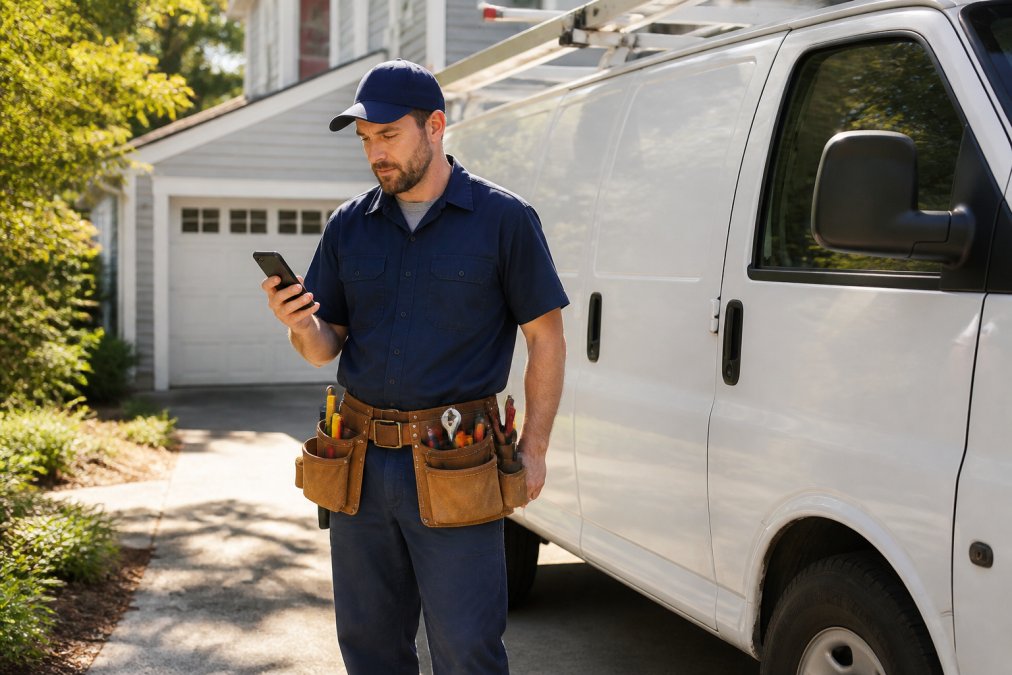
A plumber in work clothes and a tool belt standing next to a white service van in a residential driveway, glancing at a smartphone screen with an alert notification visible, afternoon sunlight
Step 1: Connect Your Website Form to a Notification Trigger
Your website form is the lead capture point. Every submission needs to fire a trigger event that kicks off the notification chain.
For most form builders (Gravity Forms, WPForms, Contact Form 7, Typeform):
- Open your form's notification settings panel.
- Create a new notification rule and set the recipient to your dedicated leads address.
- Set the trigger to "on submission", not "on approval" or "on confirmation."
- Map the data fields: name, phone number, service type, and message.
For webhook-based integrations:
Grab the webhook URL from your automation platform (Zapier, Make, or a native integration) and paste it into your form's webhook field. This creates a data delivery pipeline that can fan out to multiple channels simultaneously, email, SMS, and push notification all from a single form submission. The webhook approach gives you multi-channel alert orchestration, meaning one lead fires alerts across every channel at once.
Step 2: Configure Your Email and SMS Alert Delivery
Email alone is not enough. This is the part most contractors skip, and it's why they miss leads while on a job site.
Email configuration:
- Write a subject line that includes the lead source and service type:
New Lead: HVAC Repair Request, [Name]. - Set the "From" address to something you recognize instantly. Avoid no-reply addresses.
- Enable email routing rules: any email from your form notification address should land directly in Primary, not Promotions.
SMS alert delivery:
Configure SMS notification through your automation platform or a dedicated lead notification service like DibsText. An SMS alert lands directly on your lock screen while an email app may not ping you on a job site. Map the same fields: name, phone, job type, message.
Step 3: Set Up Mobile Push Notifications as a Backup Channel
Push notifications are your insurance policy. If an email gets delayed or your SMS app is muted, a push notification catches the lead.
- Install your email app and SMS app on your primary work phone.
- Go to Settings > Notifications and confirm both apps have "Allow Notifications" enabled with banner alerts and lock screen display turned on.
- Set notification sounds to something distinct so you know immediately when a lead arrives.
- If you run a two-person operation, configure a secondary alert to a second phone.
Pro Tip Turn off "Focus Mode" or "Do Not Disturb" during business hours, or create a Focus exception for your leads email address and SMS number. A notification that can't interrupt you is no notification at all.
Step 4: Test Latency and Confirm Real-Time Delivery
Most people skip this step. Don't.
Lead alert latency is the time between a form submission and when the alert appears on your phone. Acceptable latency for a real-time lead alert is under 60 seconds.
To benchmark your latency:
- Submit a test form entry on your website.
- Start a stopwatch the moment you hit submit.
- Record the time when the email alert, SMS, and push notification each arrive.
- Run this test three times at different times of day.
If your email alert is taking three to five minutes, the bottleneck is usually your email service provider's sending queue or a misconfigured webhook delay. Fix it before relying on the system for live leads. According to Salesforce's research on sales response time, the speed of first contact is one of the strongest predictors of whether a lead converts.
Best Practices for Lead Response Time That Win More Jobs
The best lead alert setup is useless if you wait 45 minutes to respond. Lead response time is where the job is actually won or lost.

A contractor in a work jacket sitting in the cab of a pickup truck, phone pressed to his ear mid-call, glancing at his phone screen on the seat beside him, conveying urgency, natural daylight through the windshield
The five-minute rule: Aim to make first contact within five minutes of receiving an alert. Many home service professionals who consistently win against larger competitors do so simply by calling back faster.
Call first, text second. A phone call communicates competence and professionalism in a way a text message can't. If the call goes to voicemail, follow up immediately with a text that includes your name, your trade, and a specific callback prompt: "Hi, this is Mike from ABC Plumbing. Just got your message about the water heater. I have availability today, call or text me back at this number."
Qualify on the first call. Ask the two questions that determine job value: what's the problem, and when do they need it handled? This turns a lead inquiry into a qualified opportunity in under three minutes.
Set alert frequency expectations internally. If you have a helper or office contact, define who responds to leads during which hours.
Watch Out Never let a lead sit overnight without at least an automated acknowledgment. A customer who submits a form at 9 PM and hears nothing by 9 AM the next morning has already hired someone else. Set up an after-hours auto-response that confirms receipt and sets a callback expectation.
How to Automate Customer Followups After the First Alert
Automation handles everything that happens when the first call doesn't close the deal.
Automated follow-up sequence (basic three-step):
-
Immediate acknowledgment (0-2 minutes after form submission): An auto-reply email or text confirming the lead was received. "Thanks for reaching out. We'll call you within the next few minutes."
-
First follow-up (24 hours after initial contact, if no booking): A short text or email checking in. "Hi [Name], just following up on your [service type] inquiry. Are you still looking for help? Happy to get you on the schedule."
-
Second follow-up (72 hours, if still no response): A final outreach with a light call to action. "We still have availability this week for [service type]. Let us know if you'd like to get something booked."
This three-step sequence can be configured inside most automation platforms or directly within DibsText, which handles automated responses without requiring you to manage a separate dashboard. According to MarketingSherpa's email marketing research, timely follow-up sequences consistently outperform single-touch outreach.
Lead Response Automation Tools: What to Look For
Not all lead response automation tools are built for the same use case. A contractor on a job site has different needs than a sales team in an office.
Feature
Why It Matters for Contractors
Reaches you on the job site, not just at a desk
No dashboard required
Reduces friction; you respond, not manage
Automated A2P compliance
Keeps your texts legally compliant without manual setup
Mobile-first design
Works on a phone, not just a laptop
Simple setup (under 30 minutes)
You're a tradesperson, not a developer
Multi-channel delivery
Email + SMS + push = no single point of failure
Free trial available
Test before committing to a monthly cost
The common mistake when evaluating automation tools is prioritizing features over fit. A platform with a full CRM, lead scoring, and analytics pipeline is overkill for a solo plumber getting eight leads a week. What matters is: does the alert reach you instantly, and does the follow-up go out automatically?
DibsText is built specifically for this use case. It delivers instant text and email lead alerts the moment a form is submitted, handles automated A2P compliance, and requires no CRM or dashboard to manage. Setup takes minutes, and there's no credit card required to start the free trial.
For contractors evaluating other providers, ask: what is the average alert latency, what happens when a notification fails, and is the pricing transparent on the website?
Troubleshooting Common Lead Alert Delivery Issues
Even a well-configured system breaks occasionally. Here are the most common delivery failures and how to fix them.
Problem: Email alerts landing in Spam or Promotions Fix: Add your form notification sender address to your contacts and whitelist it in your email filter settings. In Gmail, drag the notification email to "Primary" and click "Do this for future messages."
Problem: SMS alerts not arriving Fix: Check your automation platform's A2P 10DLC registration status. Unregistered numbers are increasingly filtered by carriers.
Problem: Webhook delivery failing silently Fix: Check your automation platform's execution log for failed webhook calls. Common causes include an expired API key or a changed form field name that no longer maps correctly.
Problem: Notifications arriving 10-15 minutes late Fix: Check whether your form builder is batching submissions rather than sending them individually. Switch to a direct webhook trigger rather than a scheduled notification.
Problem: Push notifications not appearing on lock screen Fix: On iOS, go to Settings > Notifications > [App Name] and confirm "Allow Notifications," "Lock Screen," and "Banners" are all enabled. On Android, check that battery optimization is not suppressing the app in the background.
Key Takeaway The most reliable lead alert systems use three delivery channels simultaneously: email, SMS, and push notification. If one channel fails, the other two catch it. Single-channel setups fail silently and cost you jobs without you ever knowing why.
Frequently Asked Questions
How do I get instant email notifications for new leads?
Connect your website contact form to a notification service that triggers an alert the moment a submission is received. Tools like DibsText send both an email and a text to your phone simultaneously, so you get the lead inquiry in real time without checking a dashboard. The setup takes only a few minutes: point your form's webhook or integration to the service, enter your alert email and mobile number, then test with a sample submission to confirm delivery speed.
Can I set up email alerts for specific website form submissions?
Yes. Most notification platforms let you filter alerts by lead source, form type, or data fields so you only get pinged for the inquiries that matter. You can route service-request forms to one email address and general contact forms to another, or apply keyword triggers to flag high-priority leads. This kind of email routing keeps your inbox clean and ensures urgent lead notifications never get buried under lower-priority messages.
Why is response time so critical for home service leads?
Home service customers typically contact two to four contractors at the same time. The first business to respond, often within five minutes, wins a disproportionate share of booked jobs. After 30 minutes, the chance of converting that same lead drops sharply because the customer has already spoken with a competitor. Instant email lead alerts eliminate the delay between form submission and your first call-back, which is the single biggest factor in lead-to-job conversion for field-based tradespeople.
How do I automate lead notifications without a complex CRM?
You don't need a CRM for basic lead notification. A lightweight service like DibsText sits between your website form and your phone: when a customer submits a request, the platform captures the lead data and fires an instant text and email alert directly to you. There's no dashboard to log into, no subscriber list to manage, and no workflow to build. For solo operators and small crews, this stripped-down approach is faster to set up and easier to maintain than a full CRM integration.
Missed lead alerts are a silent revenue problem. Most contractors don't know how many jobs they've lost to slow notification delivery or missed follow-ups because the lead simply moved on. DibsText solves this by delivering instant text and email alerts the moment a form is submitted, with automated follow-up built in and no dashboard to manage. Start your free trial at DibsText and start reaching leads before your competitors even see the notification.
This article was written using GrandRanker
Stop losing leads to slow response times.
DibsText texts you the second a lead comes in. Free 14-day trial, no credit card.
Start Free Trial